What Is a Dynamic QR Code Generator and How Does It Work?
By Rahul ·
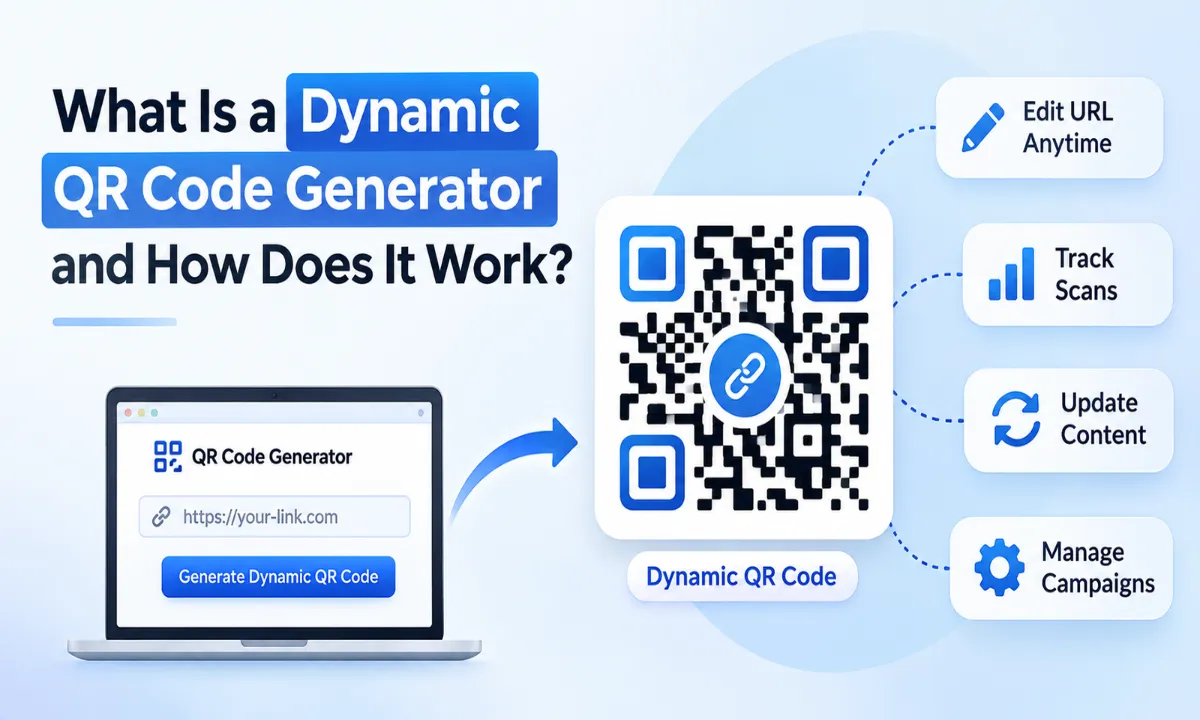
QR codes have become a common part of how businesses share information, connect with customers, and simplify everyday interactions. From product packaging and restaurant menus to marketing campaigns and payment systems, they make accessing digital information quick and convenient. A QR code generator helps businesses create these scannable codes, but not all QR codes offer the same functionality. A dynamic QR code generator goes a step further by allowing users to update the destination of a QR code without changing the printed code itself.
This flexibility makes dynamic QR codes particularly useful for businesses that regularly update their content, run marketing campaigns, or want to understand how customers interact with their printed materials.
In this guide, we will explain what a dynamic QR code generator is, how it works, how it differs from a static QR code, and why businesses are increasingly using dynamic QR codes in their marketing and operational activities.
What Is a Dynamic QR Code Generator?
A dynamic QR code generator is an online tool or software that creates QR codes connected to a changeable destination through a redirect URL. Unlike static QR codes, which permanently store the destination information within the code, dynamic QR codes typically store a short redirect URL that points to the actual destination.
The destination can be changed later through a dashboard without generating or printing a new QR code.
For example, a restaurant might print a QR code on its table cards that opens its digital menu. If the restaurant changes its menu next month, it can update the destination URL from its QR code dashboard. Customers can continue scanning the same printed QR code and access the updated menu.
The QR code's appearance remains unchanged, while the destination behind it is updated.
In simple terms: A dynamic QR code is a reusable QR code whose destination can be modified after creation, usually without changing the physical code.
A dynamic QR code generator may also provide additional features such as:
Destination URL editing
Scan tracking and analytics
Location-based scan information
Device and operating system insights
Campaign performance monitoring
Password protection
QR code activation and expiration controls
Custom QR code design and branding
The availability of these features depends on the QR code platform and subscription plan.
How Does a Dynamic QR Code Generator Work?
A dynamic QR code generator works by combining a unique redirect URL, a QR code encoding process, and a server that manages the destination.
Instead of directly embedding a long website URL into the QR code, the generator creates a short URL associated with a unique QR code identifier. When someone scans the code, their device opens this short URL. The platform's server then redirects the visitor to the destination currently assigned to that QR code.
Here is how the complete process works:
Step 1: Enter Your Destination URL
The process starts when a user enters the destination they want people to access.
This could be: a website homepage, a product page, a landing page, a digital menu, a PDF document, a registration form, a contact page
For example, an online clothing store might enter the URL of a new product collection that it wants customers to explore.
Step 2: Generate a Unique Redirect URL
After receiving the destination URL, the dynamic QR code platform generates a unique redirect address.
This address acts as an intermediary between the QR code and the final destination.
For example:
Original destination:
https://example.com/summer-collection
Generated redirect URL:
https://qr-codegenerator.com/r/abc123
The actual URL structure varies between platforms.
The important difference is that the QR code stores the redirect URL rather than the original destination.
Step 3: Convert the Redirect URL into a QR Code
The generator encodes the redirect URL into a QR code using the QR code encoding standard.
The resulting image contains a pattern of black and white modules that can be read by compatible QR code scanners and smartphone cameras.
The QR code can then be downloaded in supported formats, such as PNG, SVG, or PDF, depending on the platform.
Step 4: Scan the QR Code
When a customer scans the generated QR code using a smartphone camera or QR scanning application, the device reads the encoded redirect URL.
The browser then requests that address from the QR code platform's server.
Step 5: Redirect the User to the Destination
The platform checks the unique QR code identifier and retrieves its currently assigned destination URL.
It then redirects the user to that destination.
For example, if a business initially connects a QR code to a product page but later changes the destination to a promotional landing page, future scans will open the updated page.
The printed QR code does not need to be replaced.
Step 6: Collect Scan Analytics
If the platform supports analytics, it can record information about QR code scans.
Depending on the platform, available analytics may include:
Total scans
Unique visitors or estimated unique scans
Scan dates and times
Approximate geographic locations
Device types
Operating systems
Campaign performance
Businesses can use this information to understand how their QR codes are performing and identify opportunities to improve their campaigns.
How the complete process works:
User enters URL → Platform creates redirect URL → QR code is generated → Customer scans the code → Server redirects to the destination → Analytics are recorded.
Dynamic QR Code vs. Static QR Code: What Is the Difference?
The main difference between dynamic and static QR codes is how destination information is stored and whether it can be changed after the QR code has been generated.
A static QR code stores its destination information directly within the QR code. A dynamic QR code generally stores a redirect URL that connects to a destination managed through a platform.
Feature | Static QR Code | Dynamic QR Code |
Destination editing | Cannot be changed without generating a new code | Can be changed through the platform |
QR code reusability | Limited to its original information | Can support multiple destination updates |
Scan analytics | Not inherently available | Available on platforms that support tracking |
Internet requirement | Depends on the encoded content | Usually requires an internet connection |
Printing flexibility | Destination remains fixed | Destination can be updated after printing |
Marketing campaigns | Suitable for fixed information | Suitable for changing campaigns |
Management | No central management required for basic codes | Usually managed through a dashboard |
Cost | Often free | May require a paid subscription |
When Should You Use a Static QR Code?
Static QR codes are suitable when the information does not need to change.
For example, a business can use a static QR code to share its Wi-Fi credentials, a permanent email address, or a fixed contact card.
They are also useful when the QR code needs to work without depending on an external redirect service, provided the encoded content itself is accessible.
When Should You Use a Dynamic QR Code?
Dynamic QR codes are more suitable when businesses need flexibility, performance tracking, or regular content updates.
For example, an event organizer can print QR codes on promotional posters several weeks before an event. If the registration page changes, the organizer can update the destination without reprinting the posters.
For campaigns involving printed materials, this flexibility can save both time and printing costs.
Key Features of a Dynamic QR Code Generator
A dynamic QR code generator offers more than the ability to create scannable codes. Depending on the platform, it can provide several features that help businesses manage their digital campaigns.
1. Editable Destination URLs
This is one of the most important features of dynamic QR codes.
Users can change the destination URL without modifying the QR code image. This is particularly helpful for businesses that frequently update product pages, promotional offers, menus, or registration links.
2. QR Code Scan Analytics
Analytics help businesses understand how people interact with their QR codes.
For instance, a company distributing brochures across multiple locations can compare the scan activity of different QR codes to understand which campaign generates more engagement.
However, scan counts should not automatically be treated as actual customers or conversions. A scan indicates an interaction with the QR code, not necessarily a completed purchase or lead.
3. Geographic Scan Insights
Some platforms provide approximate geographic information based on the IP address or other available technical signals.
This can help businesses understand where their campaigns are receiving attention.
It is important to remember that location data may be approximate and can be affected by VPNs, mobile networks, and privacy settings.
4. Device and Operating System Tracking
Dynamic QR code analytics may also identify the device or operating system used during a scan.
For example, a business can understand whether visitors primarily access its landing pages through Android or iOS devices.
This information can help improve the mobile experience and identify compatibility issues.
5. Custom QR Code Design
Many QR code generators allow users to customize the visual appearance of their QR codes.
Common customization options include:
Brand colors
Custom patterns
Different corner shapes
Logo placement
Background colors
Custom frames and call-to-action text
Brand customization can make QR codes more recognizable, but the design must maintain sufficient contrast and scanning reliability.
Businesses should always test customized QR codes across different smartphones before printing them in large quantities.
Where Are Dynamic QR Codes Used? Practical Business Examples
Dynamic QR codes are useful across industries because they connect physical touchpoints with digital information. Their flexibility makes them particularly valuable wherever printed materials need to remain useful even when the underlying information changes.
Here are some practical applications.
1. Retail and E-commerce
Retail businesses can use dynamic QR codes on product packaging, store displays, brochures, and promotional materials.
A customer scanning a QR code on a product can access:
Product specifications
User manuals
Product demonstration videos
Warranty registration pages
Related product collections
Current promotional offers
For example, an electronics retailer can place a QR code on a product display that initially directs customers to product specifications. Later, the same QR code can be updated to show a product demonstration or a special offer.
2. Restaurants and Cafes
Restaurants frequently update their menus, prices, and promotional offers.
A dynamic QR code on a table can connect customers to a digital menu. When the restaurant changes its menu, it can update the destination through its QR code management dashboard.
This reduces the need to print new table cards every time a menu changes.
3. Marketing and Advertising Campaigns
Marketing agencies and businesses can use dynamic QR codes across:
Newspaper advertisements
Billboards
Flyers
Product packaging
Event banners
Business cards
Direct mail campaigns
Each marketing channel can have its own QR code, allowing marketers to compare scan activity.
For example, a company running separate newspaper and flyer campaigns can create two dynamic QR codes pointing to the same landing page. By reviewing their individual analytics, the marketing team can compare which channel receives more scans.
4. Education and Training
Educational institutions can use dynamic QR codes to connect students with learning resources.
Teachers can place QR codes on printed worksheets, classroom notices, and study materials.
These codes can direct students to:
Online assignments
Recorded lectures
Study materials
Course registration pages
Feedback forms
Updated learning resources
If the institution changes its learning resource location, it can update the QR code destination instead of replacing the printed material.
5. Events and Conferences
Event organizers can use dynamic QR codes on invitations, tickets, banners, and promotional materials.
They can connect visitors to registration pages, event schedules, speaker profiles, and venue information.
If an event schedule changes, the organizer can update the destination so visitors can access the latest information through the existing QR code.
6. Real Estate
Real estate agencies can place dynamic QR codes on property boards, brochures, and newspaper advertisements.
When scanned, the QR code can open a property listing with images, videos, pricing information, and enquiry forms.
If the property information changes, the destination can be updated without replacing the printed advertisement.
How to Create a Dynamic QR Code Using a QR Code Generator
Creating a dynamic QR code is generally a straightforward process. Most online platforms follow a similar workflow.
Here is a step-by-step explanation:
Step 1: Choose a QR Code Generator
Select a platform that supports dynamic QR codes, destination editing, and the features you need.
Before choosing a service, check its pricing, scan limits, analytics capabilities, and QR code availability after subscription changes.
Step 2: Select the QR Code Type
Choose the URL or website QR code option if you want to direct users to a webpage.
Some platforms also support other content types, such as PDFs, contact information, social media profiles, and Wi-Fi access.
Step 3: Enter Your Destination
Paste the website URL or landing page address you want users to access.
Make sure the destination is correct and works properly on mobile devices.
Step 4: Generate the Dynamic QR Code
Select the dynamic QR code option and generate your code.
The platform will create a unique redirect URL and convert it into a scannable QR code.
Step 5: Customize Your QR Code
If customization is available, add your brand colors, logo, and preferred design.
Avoid excessive customization that may affect readability.
Step 6: Download and Test
Download your QR code in a suitable format.
Before printing, test it using multiple smartphones and QR scanning applications. Confirm that the code opens the correct destination and that any tracking or redirect features work as expected.
Step 7: Monitor and Update
Once your QR code is published, monitor its scan activity through the dashboard if analytics are available.
You can update the destination whenever your business requirements change.
Are Dynamic QR Codes Safe to Use?
Dynamic QR codes are generally safe when generated through a reliable platform and used with appropriate security practices. However, their safety depends on the destination website, redirect infrastructure, and the security controls implemented by the QR code provider.
Since dynamic QR codes can redirect users to different destinations over time, businesses should manage them carefully.
Here are some important security considerations:
Use HTTPS destinations: Always prefer secure HTTPS websites when configuring QR code destinations.
Choose a reliable provider: Check the platform's reputation, security policies, and account protection features.
Protect your dashboard: Use strong passwords and multi-factor authentication wherever available.
Review destination changes: Restrict access to people authorized to manage your QR codes.
Avoid suspicious links: Never use QR codes to direct users to untrusted websites or unexpected payment pages.
Monitor your campaigns: Regularly verify that your QR codes redirect to the intended destinations.
Customers should also verify the website address after scanning an unfamiliar QR code, especially before entering personal information or making payments.
A QR code itself does not guarantee that the destination is trustworthy.
What Should You Look for in the Best Dynamic QR Code Generator?
Choosing the best dynamic QR code generator depends on your business requirements. A tool suitable for an individual user may not offer enough features for an organization managing hundreds of QR codes.
Before selecting a platform, consider these factors:
Selection Criteria | Why It Matters |
Dynamic URL editing | Allows destination changes without replacing printed codes |
Scan analytics | Helps evaluate campaign engagement |
Unlimited or sufficient scans | Prevents unexpected restrictions as usage grows |
QR code management | Makes it easier to organize multiple campaigns |
Customization | Helps maintain consistent brand identity |
Download formats | Supports digital and professional printing requirements |
Security features | Helps protect QR code accounts and destinations |
Pricing transparency | Makes long-term costs easier to understand |
Customer support | Helps resolve technical and account-related issues |
One important point is that a free dynamic QR code and a free static QR code are not necessarily the same thing.
Some platforms offer free static QR codes but require a subscription for dynamic QR codes, analytics, or advanced management features. Always check the platform's terms before using a QR code in permanent printed materials.
Conclusion: Why Dynamic QR Codes Matter for Modern Businesses
Dynamic QR codes have made it easier for businesses to connect printed materials with changing digital information. Instead of generating new QR codes whenever a destination changes, businesses can manage existing codes through a centralized platform.
Their biggest advantages include destination flexibility, campaign tracking, centralized management, and reduced dependence on repeated printing.
For businesses involved in retail, e-commerce, hospitality, education, events, and digital marketing, dynamic QR codes can become a useful part of their everyday operations.
The key is to choose a reliable QR code platform that offers the right combination of editing capabilities, analytics, security, and transparent pricing.
Ready to create your own dynamic QR codes?
Visit QR-CodeGenerator.com to explore QR code generation and simplify the way you connect customers with your digital content. Create QR codes for your business, marketing campaigns, products, and everyday information sharing.
Frequently asked questions
What is a dynamic QR code in simple words?
A dynamic QR code is a scannable code that directs users through a changeable destination URL. The destination can be updated later without creating or printing a new QR code.
How does a dynamic QR code work?
A dynamic QR code stores a unique redirect URL. When someone scans it, the request reaches the QR code provider's server, which identifies the QR code and redirects the user to its currently assigned destination.
Can I edit a dynamic QR code after printing?
Yes. You can change the destination URL through the QR code platform's dashboard without changing the printed QR code, provided the code remains active and the provider supports destination editing.
Do dynamic QR codes expire?
Dynamic QR codes do not inherently expire because of the QR code format. However, their availability depends on the service provider, subscription terms, account status, and any expiration settings configured by the user.
Can dynamic QR codes track how many times they are scanned?
Yes. Many dynamic QR code platforms provide scan analytics, including total scans, scan times, approximate locations, and device information. The exact data depends on the provider and its privacy policies.
Are dynamic QR codes free?
Some platforms provide free dynamic QR codes with limited features, while others require a paid subscription. Advanced features such as detailed analytics, bulk QR code generation, password protection, and large-scale management may be available only through paid plans.
Do dynamic QR codes need an internet connection?
Yes, in most cases. Dynamic QR codes rely on an online redirect service to connect users to the current destination. Without an internet connection, the redirect process generally cannot be completed.
Can I use the same dynamic QR code for multiple marketing campaigns?
Yes, you can reuse the same dynamic QR code by changing its destination URL. However, if you want to compare the performance of different campaigns independently, using separate QR codes for each campaign is generally a better approach.
What happens if a dynamic QR code provider shuts down?
If the provider stops operating its redirect service, the dynamic QR codes depending on that service may stop working. This is why businesses should evaluate provider reliability, subscription conditions, and long-term service availability before using dynamic QR codes on permanent packaging or printed materials.
Which is better: static or dynamic QR codes?
Neither is universally better. Static QR codes are suitable for permanent information that does not need updating. Dynamic QR codes are more appropriate when businesses need editable destinations, scan analytics, and campaign management.